

Introduction: Why Managing Your Mobile Data Matters
How to reduce data consumption has become an essential skill for every smartphone user. Mobile carriers frequently increase prices for their plans, and watching a few HD videos can burn through gigabytes before you know it .
The good news? You don’t need to switch carriers or buy a new phone. Most smartphones come packed with settings that can slash your data usage by 30-50% with just a few adjustments . Whether you’re on a limited plan or just want to make your data last longer, this guide covers everything you need to know.
This guide provides proven, practical strategies for iPhone and Android users to cut data consumption without sacrificing the apps and features you love.
For foundational knowledge about resource conservation, explore our Zero Waste Living Definition (2026 to 2027): Complete Beginner’s Guide to a Waste-Free Life —the same principles apply to digital resources!
Understanding Where Your Data Goes
The Hidden Data Drains
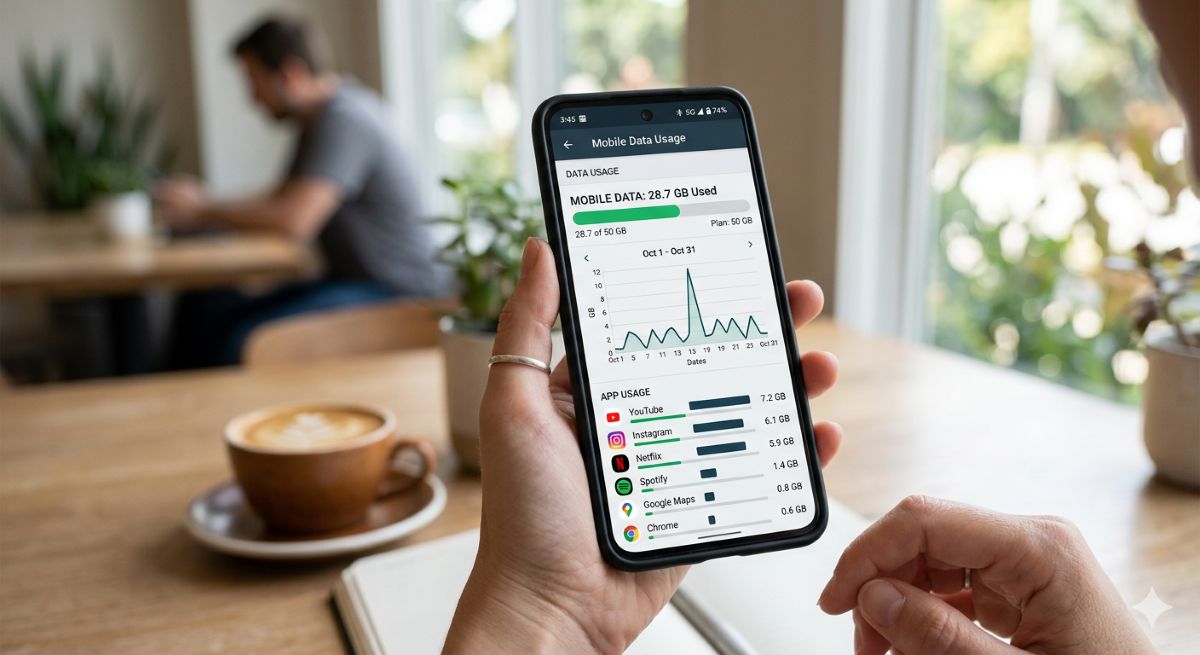
Before fixing the problem, you need to know what’s consuming your data. Most users are surprised to learn that background activity often uses more data than active browsing .
Common data culprits include:
| Data Consumer | Why It Drains Data |
| Social media apps | Auto-playing videos, high-res images, background refresh |
| Streaming services | HD video by default, even on small screens |
| App updates | Automatic downloads over cellular |
| Cloud backups | Photos and videos syncing in background |
| Web browsers | Preloading pages you never visit |
How to Check Your Data Usage
On Android:
Go to Settings > Network & Internet > SIMs > App Data Usage. This shows which apps are consuming the most data .
On iPhone:
Go to Settings > Mobile Service and scroll down to see each app’s data consumption since you last reset the statistics .
Reset your stats monthly to track usage against your billing cycle and identify patterns .
Essential Phone Settings to Reduce Data Consumption
Enable Data Saver Mode (Android)
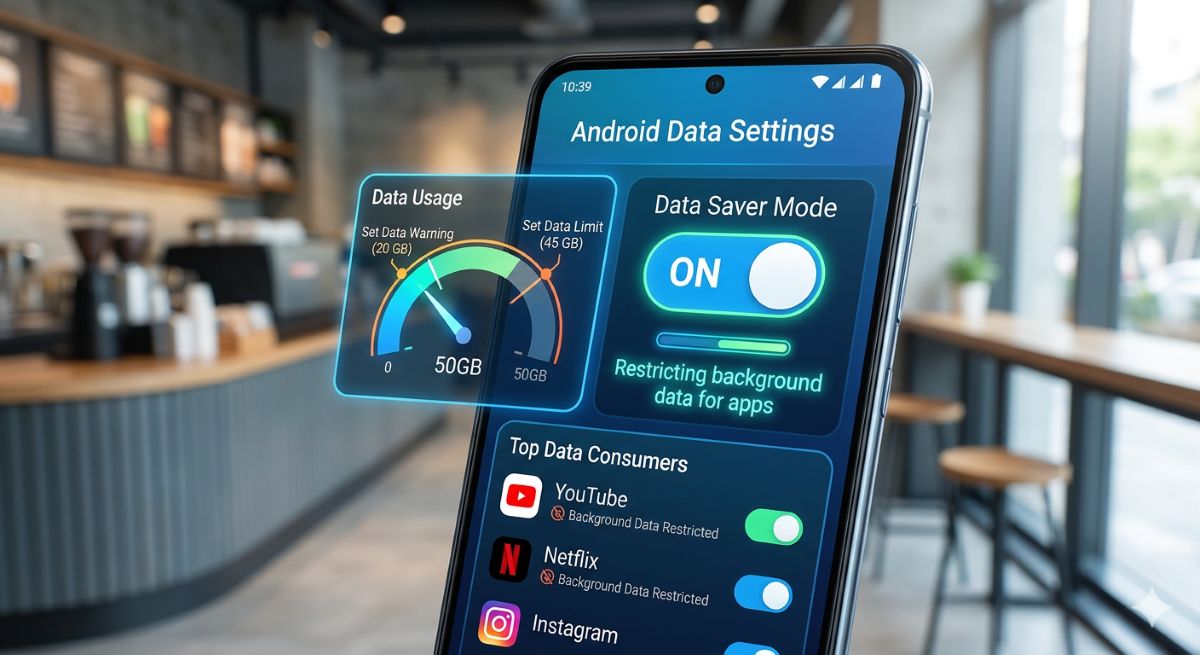
Google introduced data-saver mode with Android 7, and it’s still the most effective single setting you can enable .
How it works:
- Stops background data for most apps
- Reduces how frequently apps send and receive data
- Can save 20-30% immediately
To enable: Go to Settings > Network & Internet > Data Saver and toggle it on. You can allow specific apps to bypass it if their notifications are too important to miss .
Restrict Background Data for Individual Apps
If you don’t want to enable full data saver mode, restrict background data for specific high-usage apps .
On Android:
Go to Settings > Apps > [App Name] > Mobile Data & Wi-Fi and toggle off Background Data .
On iPhone:
Go to Settings > General > Background App Refresh and either turn it off completely or set it to Wi-Fi Only .
Mark Your Wi-Fi as Metered
Setting your Wi-Fi as a metered connection tells your phone to treat it like mobile data—restricting background activity, lowering streaming quality, and pausing cloud backups .
To enable: Tap the gear icon beside your Wi-Fi connection name and select “Metered connection” .
Browser Settings That Save Data
Turn Off Page Preloading in Chrome
Preloading is Chrome’s way of guessing what you’ll do next. It fetches web pages in advance based on what it thinks you’ll tap—wasting data on pages you never open .
Here’s how to stop preloading:
- Open Google Chrome
- Tap the three-dot icon in the upper-right corner
- Go to Settings > Privacy and security > Preload pages
- Tap No preloading
Disable Video Autoplay
Autoplay exists primarily for advertisers, not for your convenience. When a video streams automatically, it registers a view whether you watch it or not—burning your data .
To disable in Chrome:
- On the Google homepage, scroll to the bottom and tap Settings
- Select Search settings
- Under Other settings, turn off Auto-play video previews or limit to Wi-Fi
Turn Off Search Suggestions
When you type in Chrome’s address bar, every keystroke gets sent to Google’s servers to generate suggestions. Disabling this stops those constant updates .
To disable:
- Open Chrome
- Tap three-dot icon > Settings > Google services
- Disable Improve search suggestions
Disable Trending Searches
Trending searches load automatically when you open a new tab, fetching data from Google’s servers immediately .
To disable:
- On Chrome homepage, scroll to bottom and tap Settings
- Select Search settings
- Turn off Auto-complete with trending searches
App-Specific Data-Saving Strategies
Social Media Apps
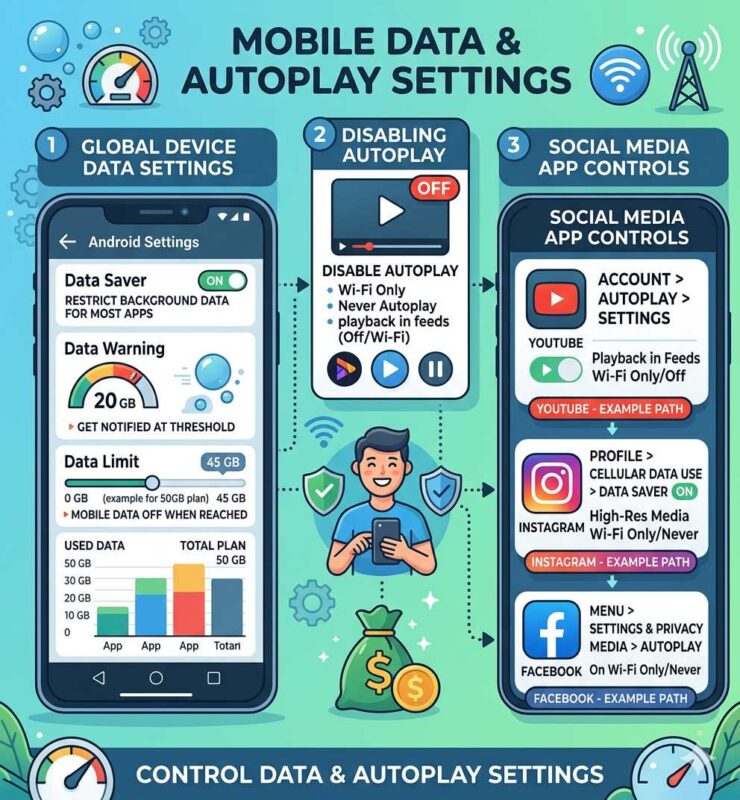
Platforms like Instagram, TikTok, Facebook, and X autoplay videos by default—a massive data drain .
What to do:
| App | Setting Change |
| Settings > Account > Cellular Data Use > Use Less Data | |
| Settings > Media > Never Autoplay Videos | |
| TikTok | Settings > Data Saver > Enable |
| X (Twitter) | Settings > Data Usage > Data Saver |
Disabling autoplay prevents your feed from downloading videos you don’t want to watch. Watching just a few minutes of video can consume over 200 MB, especially in HD .
Messaging Apps
Apps like WhatsApp and Telegram can automatically download photos and videos to your phone, consuming data without asking.
In WhatsApp:
Go to Settings > Storage and Data and set Media Auto-Download to Wi-Fi only .
Enable low-data modes in messaging apps to compress images and limit automatic downloads .
Streaming Apps
YouTube, Netflix, and Spotify offer settings for data-conscious users .
For video apps:
- Lower streaming quality from HD to 360p or 480p when on mobile data
- Download content over Wi-Fi for offline viewing
For music apps:
- Lower streaming quality in settings
- Download playlists on Wi-Fi
Google Play Store Settings
Disable auto-updates to prevent apps from downloading over cellular :
- Open Google Play Store
- Go to Settings > Network preferences
- Select Don’t auto-update apps
- Set app download preference to Wi-Fi only
Smart Habits That Save Data
Download Before You Go
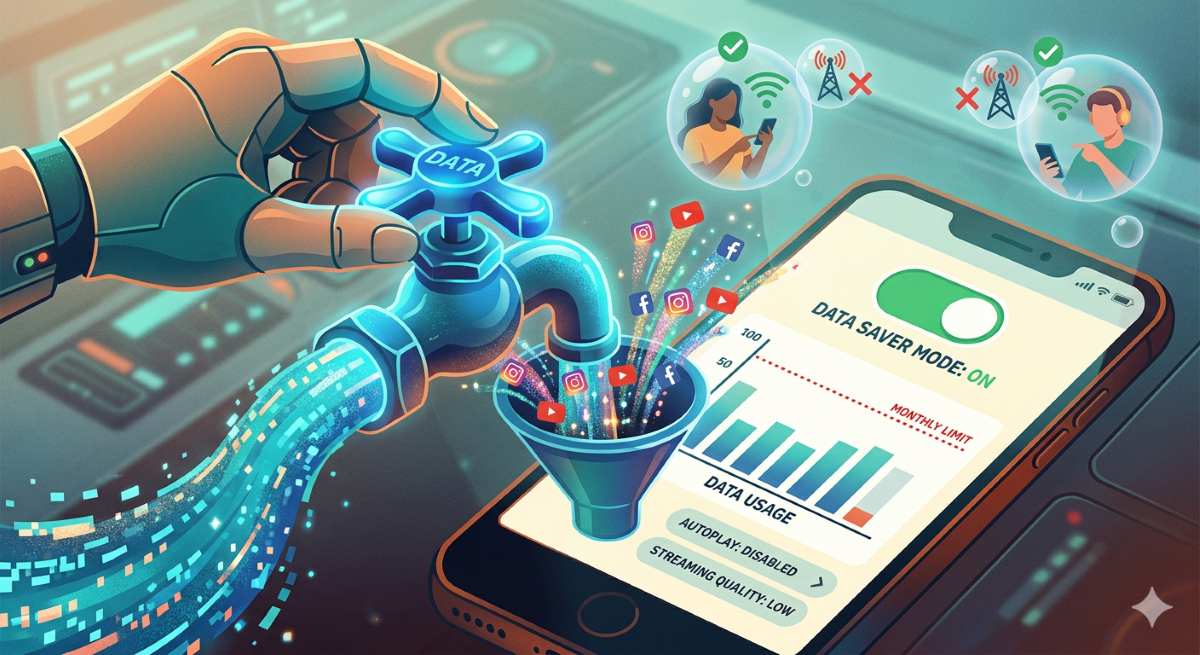
Preparing content in advance is one of the most effective ways to reduce mobile data usage .
What to download over Wi-Fi:
- Google Maps – offline maps for navigation
- Netflix/YouTube – shows and movies
- Spotify/Apple Music – playlists
- Podcasts – episodes
- Travel guides and documents
Offline content ensures smooth playback even in areas with slow or no connectivity .
Use Lite Versions of Apps
“Lite” versions of popular apps use significantly less data than regular ones. They’re designed for people with slow connections or limited data .
Try these lightweight alternatives:
| Regular App | Lite Alternative |
| Facebook Lite | |
| Instagram Lite | |
| Chrome | Opera Mini |
| YouTube | YouTube Go (where available) |
Use Mobile Versions of Websites
Mobile versions of websites are optimized for smaller screens and use less data than desktop versions. This quick adjustment keeps browsing fast while saving data .
Disable Web Notifications
Website notifications use data because they rely on background connections between your phone and sites you’ve allowed .
To manage notifications in Chrome:
- Open Chrome
- Tap three-dot icon > Settings > Site settings > Notifications
- Toggle off notifications entirely or disable per site
Turn Off Cloud Backups on Cellular
Services like Google Photos and iCloud automatically sync files over mobile data unless restricted . Turn off cellular backup to keep large photos and videos from draining your allowance.
Set Data Limits and Alerts
H3: On Android
Set a data warning and limit:
- Go to Settings > Network & Internet > SIMs > Data usage
- Tap Billing cycle
- Set Data warning (notification when approaching limit)
- Set Data limit (automatically stops data when reached)
On iPhone
Apple doesn’t offer built-in data limits, but you can:
- Go to Settings > Mobile Service
- Scroll down and reset statistics at the start of each billing cycle
- Monitor usage manually
H3: Carrier Apps
Most carriers offer apps that let you track usage, set alerts, and even purchase add-ons when needed. Check your provider’s app for additional tools .
Frequently Asked Questions
How much data can I expect to save?
Most users can reduce consumption by 30-50% by implementing the settings in this guide . Heavy streamers and social media users may save even more.
Will data-saving settings affect my experience?
Some settings may cause delays in notifications or lower video quality. However, you can selectively allow important apps to bypass restrictions .
What apps use the most data?
Streaming apps (YouTube, Netflix, Spotify) and social media (Instagram, TikTok, Facebook) are typically the biggest consumers, especially with autoplay enabled .
How do I know which apps to restrict?
Check your data usage stats in phone settings. Apps at the top of the list are your biggest consumers—focus your restrictions there first .
Can I save data while traveling?
Yes! Download maps, entertainment, and travel guides before your trip. Use offline mode whenever possible, and be especially careful with roaming data .
What’s the single most effective change?
Enable Data Saver mode on Android or turn off Background App Refresh on iPhone. These single settings address multiple drains at once .
Conclusion: Take Control of Your Data
How to reduce data consumption comes down to three simple steps: check your settings, restrict the biggest drains, and develop smart habits.
Start with these priorities:
- Check your data usage to identify culprits
- Enable Data Saver or restrict background data
- Turn off autoplay in social media and browser settings
- Download content on Wi-Fi before you need it
- Set data limits to avoid overages
The result is a phone that lasts longer between data top-ups, lower monthly bills, and the peace of mind that comes from knowing you’re in control.
For more guidance on resource conservation, revisit our Zero Waste Living Definition (2026 to 2027): Complete Beginner’s Guide to a Waste-Free Life —because saving data is just another form of saving resources.
.